Money, accounts & staff
Pharmacy link (PharmaDesk)
Linking a PharmaDesk pharmacy — sending prescriptions straight to the pharmacy, admitted patients' medicines landing on their running bill, and paying the pharmacy what it is owed.
Who it is for:OwnerManagerAccountant
On this page
If the hospital's own pharmacy, or the one next door, uses PharmaDesk, you can link it to ClinicDesk. Once linked, three things happen by themselves:
- Prescriptions go to the pharmacy. With one press at the doctor's desk, the prescription's medicine list reaches the pharmacy counter. Nobody has to read handwriting and hunt for medicines.
- Admitted patients' medicines go on the running bill. When the pharmacy sells medicines to an admitted patient as "Charge to clinic admission", the amount lands on the patient's hospital running bill. The patient pays everything together at discharge.
- The clinic pays the pharmacy. The clinic collects the medicine money from the patient, then pays the pharmacy from the Pharmacy payable page, and the accounts are written automatically.
Connecting
The owner connects the pharmacy. Each side needs a "key" (a secret code) — the clinic gives one to the pharmacy and the pharmacy gives one to the clinic.
In the sidebar open Admin › Integrations. The Pharmacy link (PharmaDesk) section is at the very bottom.
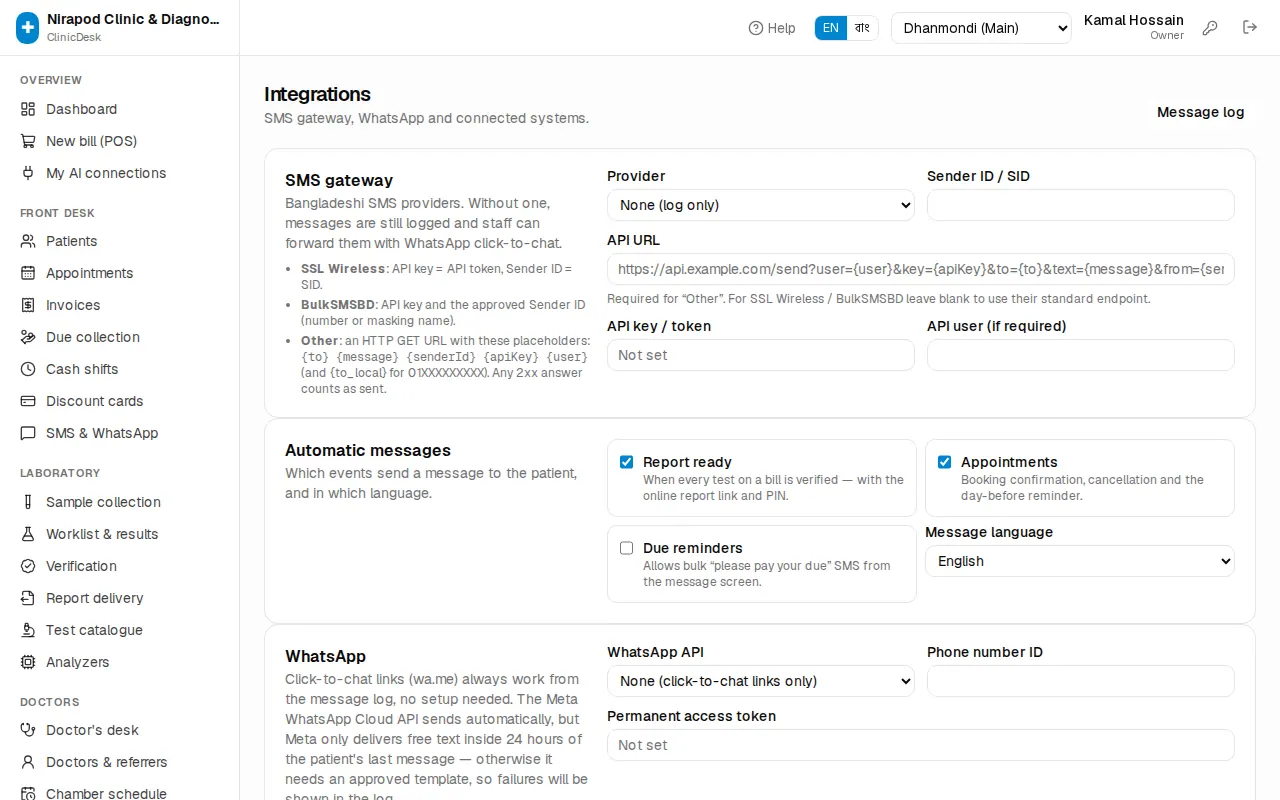
Step 1: the clinic's key for the pharmacy
- On the right, under Clinic key for the pharmacy:, press Create key.
- A long key appears in a yellow box. Press Copy.
- Give it to the pharmacy owner, who pastes it into PharmaDesk → Settings → Clinic link.
Step 2: the pharmacy's key for the clinic
- The pharmacy owner copies "Key for the clinic" from PharmaDesk's Clinic link page and gives it to you, with the pharmacy's web address.
- On the left, type the address in Pharmacy web address, for example
https://pharmacy.example.com. - Paste the key into Pharmacy's key for this clinic.
- Press Save.
With both steps done the link is live. The text at the top of the section, "(charges received so far: N)", shows how many medicine charges have come from the pharmacy.
To disconnect press Unlink. Both keys stop working.
Sending a prescription to the pharmacy
Doctors do this themselves at Doctors › Doctor's desk (the full steps are in Doctors).
- Write the prescription and press Save or Save & finish first.
- Then press Send to pharmacy (the button only shows when a pharmacy is linked).
- You will see "Sent to pharmacy" and the button changes to Sent to pharmacy ✓.
The prescription reaches the pharmacy's POS — patient name, age, doctor, and each medicine with dose and duration. The patient just gives their name at the counter and the pharmacy loads the medicines from the list.
- If you changed something without saving, it asks "You have unsaved changes. Send the last saved prescription?" — better to save first.
- To send it again it asks "Already sent. Send again?".
- A prescription with no medicines can't be sent.
Admitted patients' medicines on the running bill
For an admitted patient, the attendant usually goes to the pharmacy for medicines. Instead of taking cash, the pharmacy records the sale in PharmaDesk as "Charge to clinic admission", picking the patient from the list of admitted patients by name or admission no.
What you see in ClinicDesk:
- A line appears on the Running bill of the patient's admission page: "Medicines — pharmacy (pharmacy sale number)" with the full amount. Nothing else to do.
- If the pharmacy later voids the sale or takes medicines back, the line is cancelled automatically (shown struck through). For a partial return the old line is cancelled and a new line with the new amount appears, ending in "(after return)".
- Once the patient is discharged or the admission is cancelled, the pharmacy can no longer charge to that bill — the patient then pays the pharmacy directly.
The money is collected from the patient at the clinic counter (advance, Collect payment or at discharge). Admission and discharge: In-patients (IPD).
Paying the pharmacy
The clinic collects the pharmacy's medicine money from patients, so it pays that money to the pharmacy. A manager, accountant or the owner does this.
In the sidebar open Finance › Pharmacy payable.
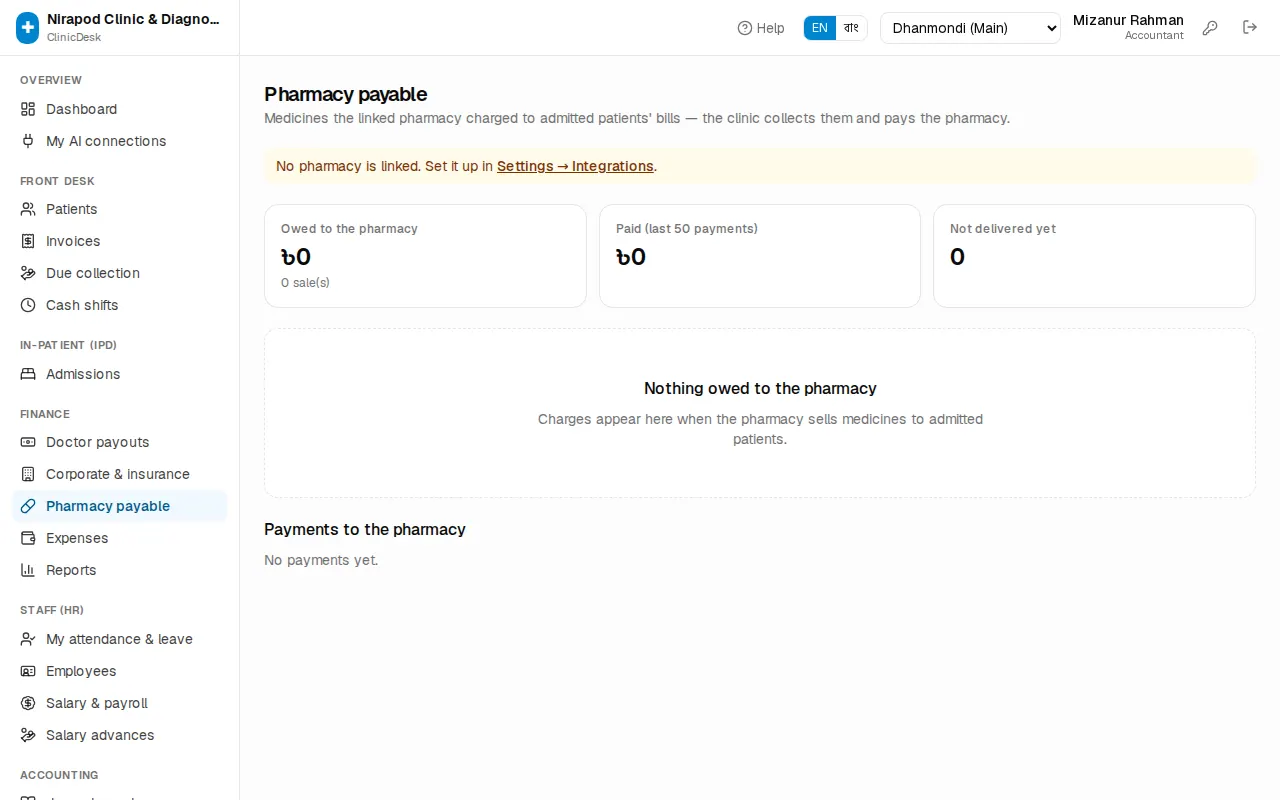
The three boxes at the top:
- Owed to the pharmacy — the total not yet paid to the pharmacy, and how many sales.
- Paid (last 50 payments) — what was paid to the pharmacy recently.
- Not delivered yet — payments whose news hasn't reached the pharmacy's software.
Steps to pay
- The list shows each sale: date, Pharmacy sale number, Admission no., patient and amount. A discharged patient shows "(discharged)".
- Tick the ones you are paying now. Tick the box in the header to pick them all (Select all).
- Check Selected and Total at the bottom.
- Choose the method (Cash, Bank, bKash, Nagad, Rocket, Card) and optionally write a Note (optional), such as a cheque number.
- Press Pay pharmacy and confirm.
A voucher (PPAY-…) is created, the accounting entry is made automatically, and the payment is sent to the pharmacy's PharmaDesk so the clinic's due goes down there.
Payments to the pharmacy
The Payments to the pharmacy list below shows each voucher's status:
| Status | Meaning | What to do |
|---|---|---|
| Received by pharmacy | The pharmacy's software has it | Nothing |
| Not delivered | Internet or pharmacy server problem | Press Retry; if it keeps failing, Cancel and pay again |
| Needs attention | The pharmacy received it but couldn't match it in its accounts | Talk to the pharmacy |
"৳… not applied there" means that amount didn't match any sale on the pharmacy's side — tell the pharmacy.
Cancel asks "Cancel this payment? Its charges become payable again." — the sales return to the payable list. A payment the pharmacy has already received can't be cancelled here.
Troubleshooting
- "Link a pharmacy first (Settings → Integrations)": the address or the pharmacy's key isn't saved — see Connecting.
- "Pharmacy not reachable" / "Pharmacy refused": the pharmacy's address is wrong, its server is down, or the key doesn't match. Ask the pharmacy owner for a fresh key.
- Pharmacy charges don't reach the patient's bill: check that the patient is still admitted, and that the pharmacy has the clinic's latest key. Creating a new key stops the old one.
- I can't see Pharmacy payable: the page is only for managers, accountants and the owner.
- Ledgers and reports: Accounting & commission.